
Quick Start
The Quick Start guide walks you through setting up Hostgrid for the first time.
In a few minutes, you’ll connect your application and serve it on a custom domain with automatic HTTPS.
Step 1: Create an upstream
Section titled “Step 1: Create an upstream”Your upstream is your application origin — where Hostgrid will send traffic.
This is usually something like:
app.saas.comapi.yourapp.comFrom the dashboard:
- Go to Upstreams
- Click Create New Upstream
- Enter your application hostname
- Save
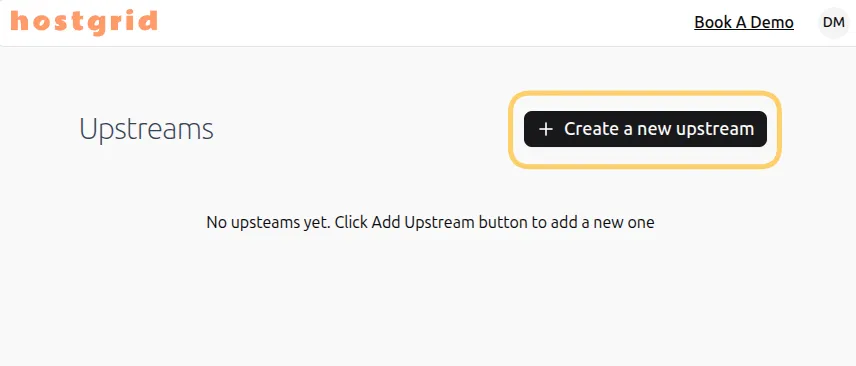
Once created, your upstream is ready.
Step 2: Add a custom domain
Section titled “Step 2: Add a custom domain”Next, connect a domain that your users will visit.
For example:
customer.comcrm.customer.comSteps:
- Open your upstream
- Click Add Domain
- Enter the domain name
- Save
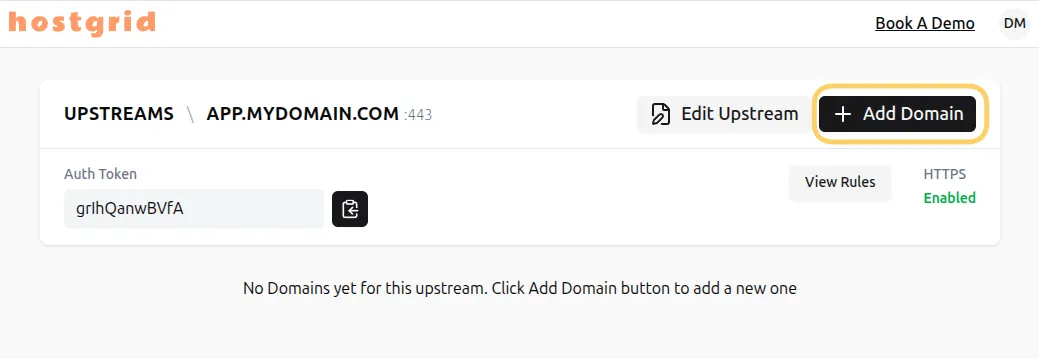
At this stage, the domain is created but not yet active.
Step 3: Configure DNS
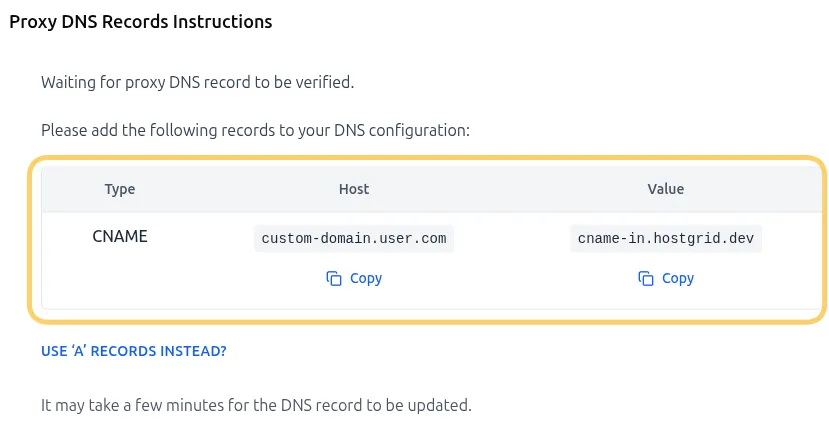
Section titled “Step 3: Configure DNS”Click the status badge to view the DNS records that you need to add to your domain provider.
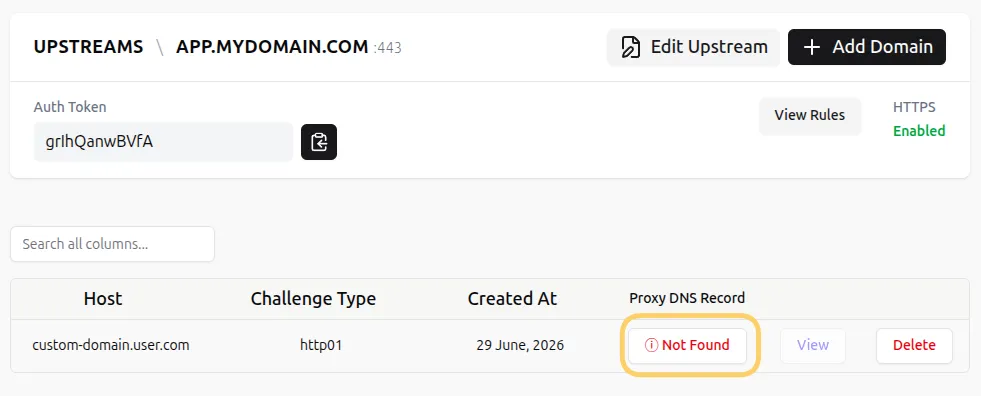
These records prove ownership of the domain.
Go to your DNS provider (Cloudflare, GoDaddy, Namecheap, etc.) and add the records exactly as shown.
Step 4: Wait for verification
Section titled “Step 4: Wait for verification”Once DNS changes propagate, Hostgrid automatically verifies your domain.
This process:
- Confirms domain ownership
- Activates the domain
- Enables SSL provisioning
You can monitor status in the dashboard:
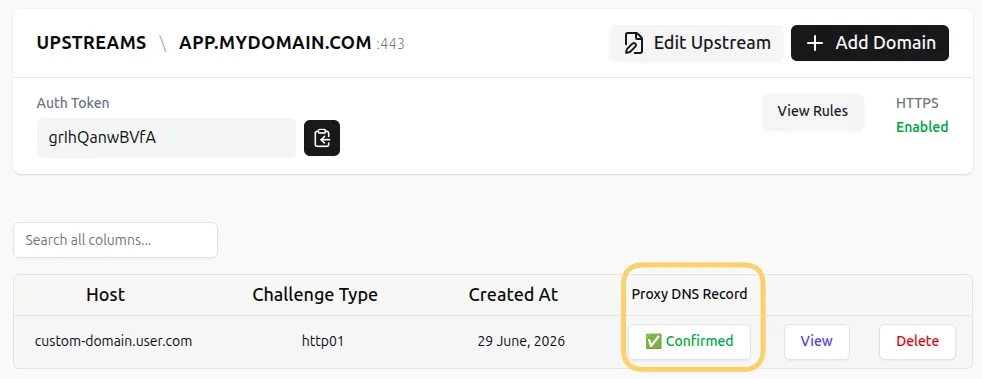
When verification is complete, your domain becomes active.
Step 5: SSL is enabled automatically
Section titled “Step 5: SSL is enabled automatically”After verification, Hostgrid:
- Issues an SSL certificate
- Enables HTTPS
- Starts serving traffic securely
No manual certificate setup is required.
Step 6: (Optional) Add rules
Section titled “Step 6: (Optional) Add rules”Rules allow you to modify how requests are handled before they reach your application.
For example:
- Redirect old URLs
- Add security headers
- Rewrite paths
- Return static responses for specific routes
To add rules:
- Open your upstream or domain
- Go to the Rules tab
- Create a rule
- Add matchers and handlers
Rules are optional — your setup works without them. Learn more: Hostgrid Rules
What happens next
Section titled “What happens next”Once setup is complete:
- Users visit your custom domain
- Hostgrid handles SSL and routing
- Requests are sent to your upstream
- Responses are returned through Hostgrid
Your application remains unchanged.
You’ve now set up Hostgrid
Section titled “You’ve now set up Hostgrid”At this point you have:
- Connected your application (upstream)
- Linked a custom domain
- Verified DNS ownership
- Enabled automatic HTTPS
From here, you can:
- Add more domains
- Configure rules
- Explore upstream vs domain behavior
- Scale to multiple customers